


Page 70 - Demo
P. 70
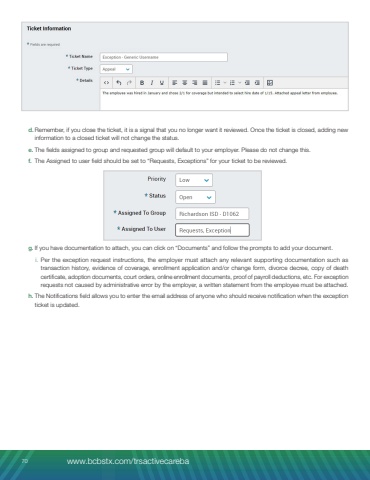
5. If you have documentation to attach, you can click %u201cUpload Files%u201d and follow the prompts to add your document(s).a. The Submitter Email field is used to enter the email address of the person submitting the form. The Additional Email Address field allows you to include one additional contact who should also receive notifications.Note: The form accepts only two email addresses. If the information needs to be shared with anyone else, you may forward the email to them for tracking purposes once the ticket is updated.6. Once the exception is submitted, you will receive a confirmation email with the exception ticket number. Please retain this email in case you need to check the status by contacting the BA Advocate team at 877-767-5254.7. All communications will be via email, so if additional information is needed, simply reply to the email for the requested information to be updated to your request.8. If you have any questions on the exception process or eligibility questions you can contact your Single Point of Contact or email TRSActivecare@bswift.com.70 www.bcbstx.com/trsactivecareba


